Audit Trail
Read each change to the security settings and critical data of dbCove, also the changes made directly in the repository.
Before you begin
- You need View Audit Trail. With only this permission, an auditor can read the trail and change nothing.
- The repository account needs
CREATE TRIGGER. Without it, dbCove records nothing, and the page shows the missing grant.
Read the trail
Open Settings › Audit Trail.
Set the filters below, then click Filter.
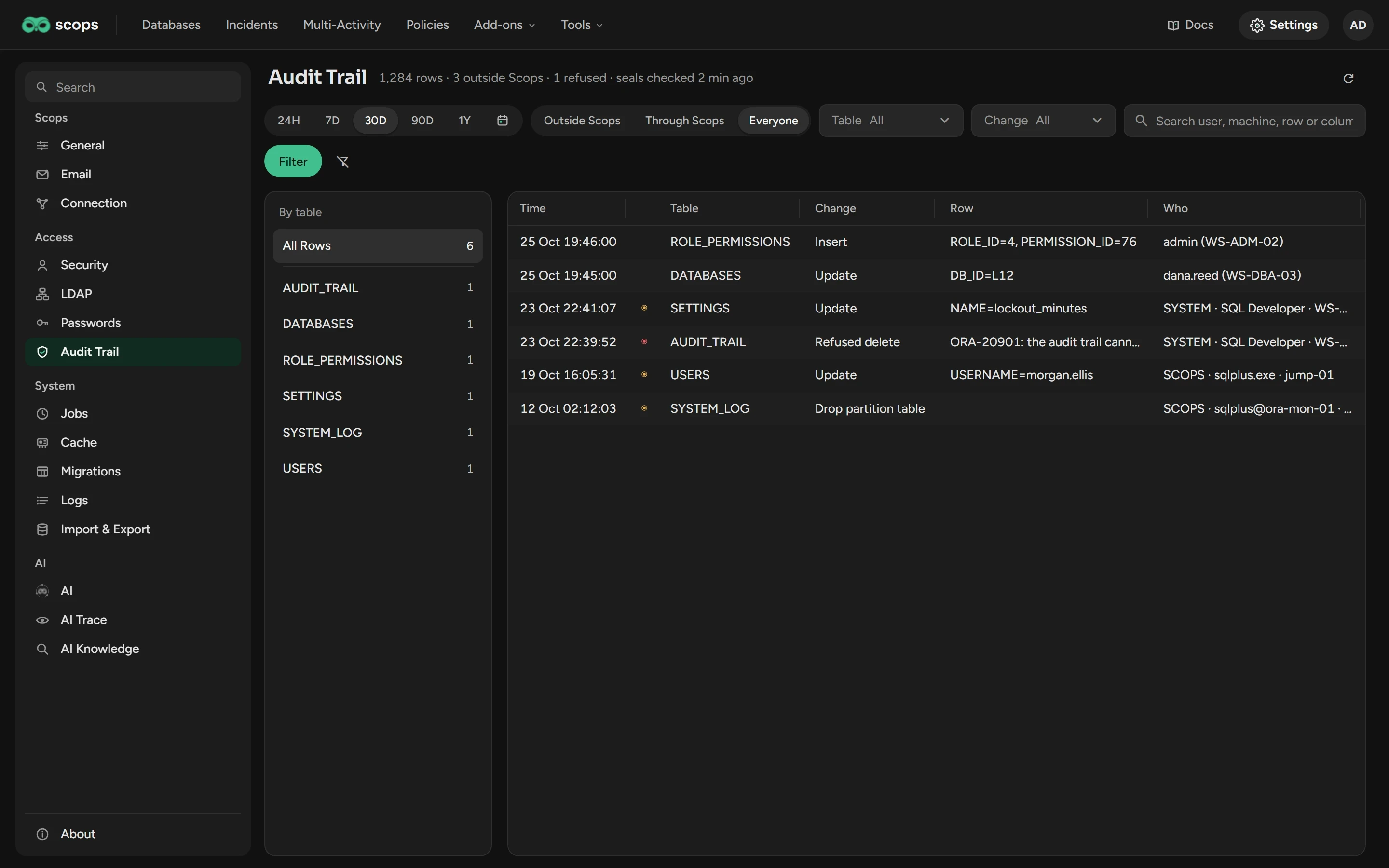
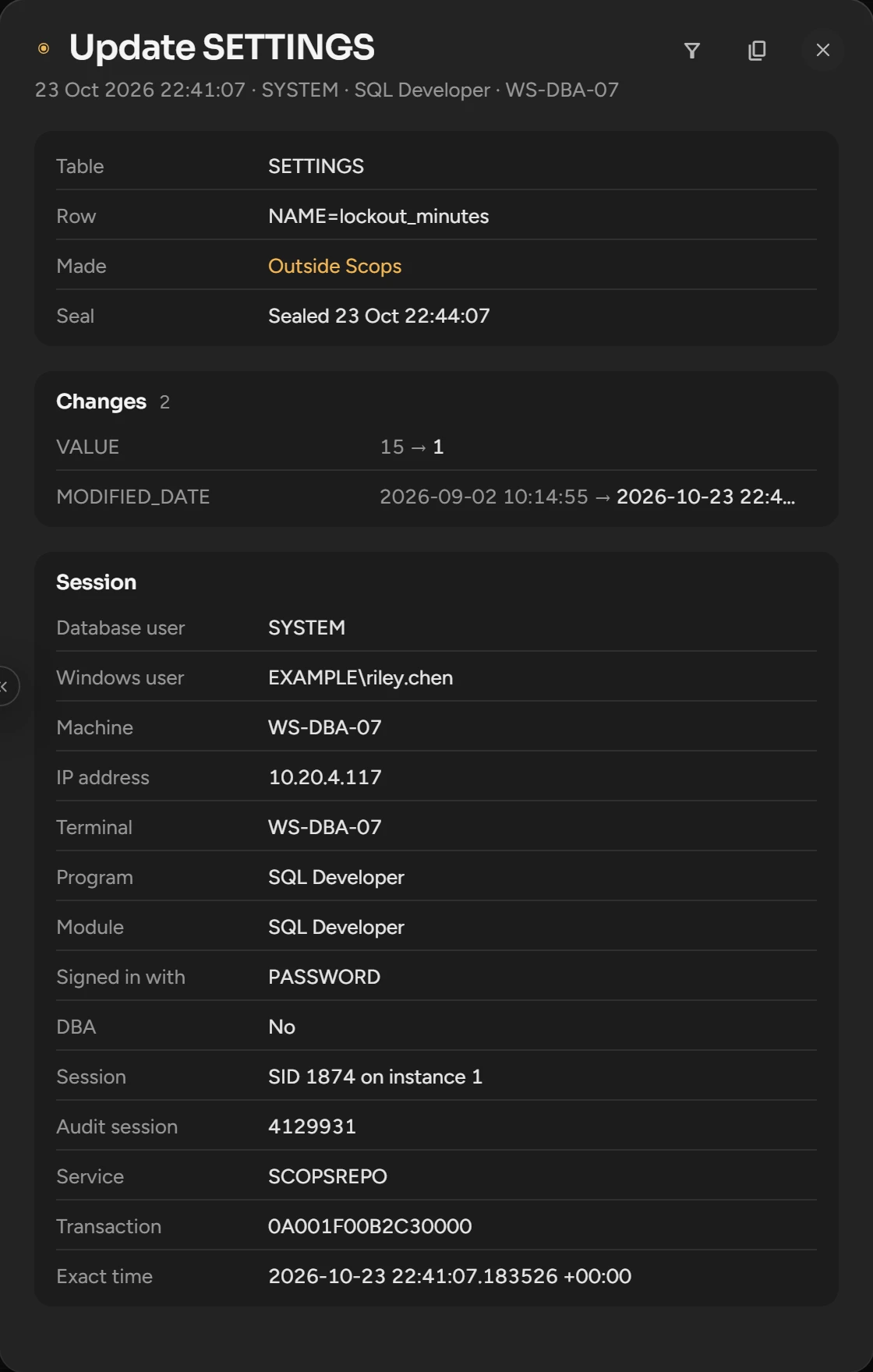
Click a row. The panel shows the values before and after, the statement of a schema change or a refused attempt, and the session.
| Filter | What it does | Default |
|---|---|---|
| Window | 24H to 1Y, or a date range. | 30D |
| Who | Outside dbCove (other sessions and refused attempts), Through dbCove or Everyone. | Outside dbCove |
| Table, Change | The audited tables, and Insert, Update, Delete, Schema change or Refused. | All |
| Search | A user, a machine, a row or a column. | Empty |
The list shows the newest 1,000 rows. A password never shows: a changed password shows as "Secret, fingerprint".
What is recorded
- Users, roles, permissions, LDAP mappings and credentials.
- Databases, groups, environments and owners.
- Security, directory, mail, trap, AI and automation settings.
- The queries of your alerts and reports, recipients, retention and license marks.
- Each change card that a user applies or dismisses.
- The log of dbCove, when a session other than dbCove changes it.
dbCove refuses an attempt to change the trail, or to drop or empty an audited table, and records it as Refused.
Seals
Every five minutes, dbCove seals the new rows with a key made from the key of the stored passwords. Each seal is chained to the one before it. dbCove finds a sealed row that someone changed or removed, and puts back an audit trigger that someone disabled or dropped.
dbCove writes each problem to the Audit category of Logs, and the page shows a red line. If this server does not have the key, dbCove records rows but does not seal them.
Related
Updated November 29, 2026