Connection
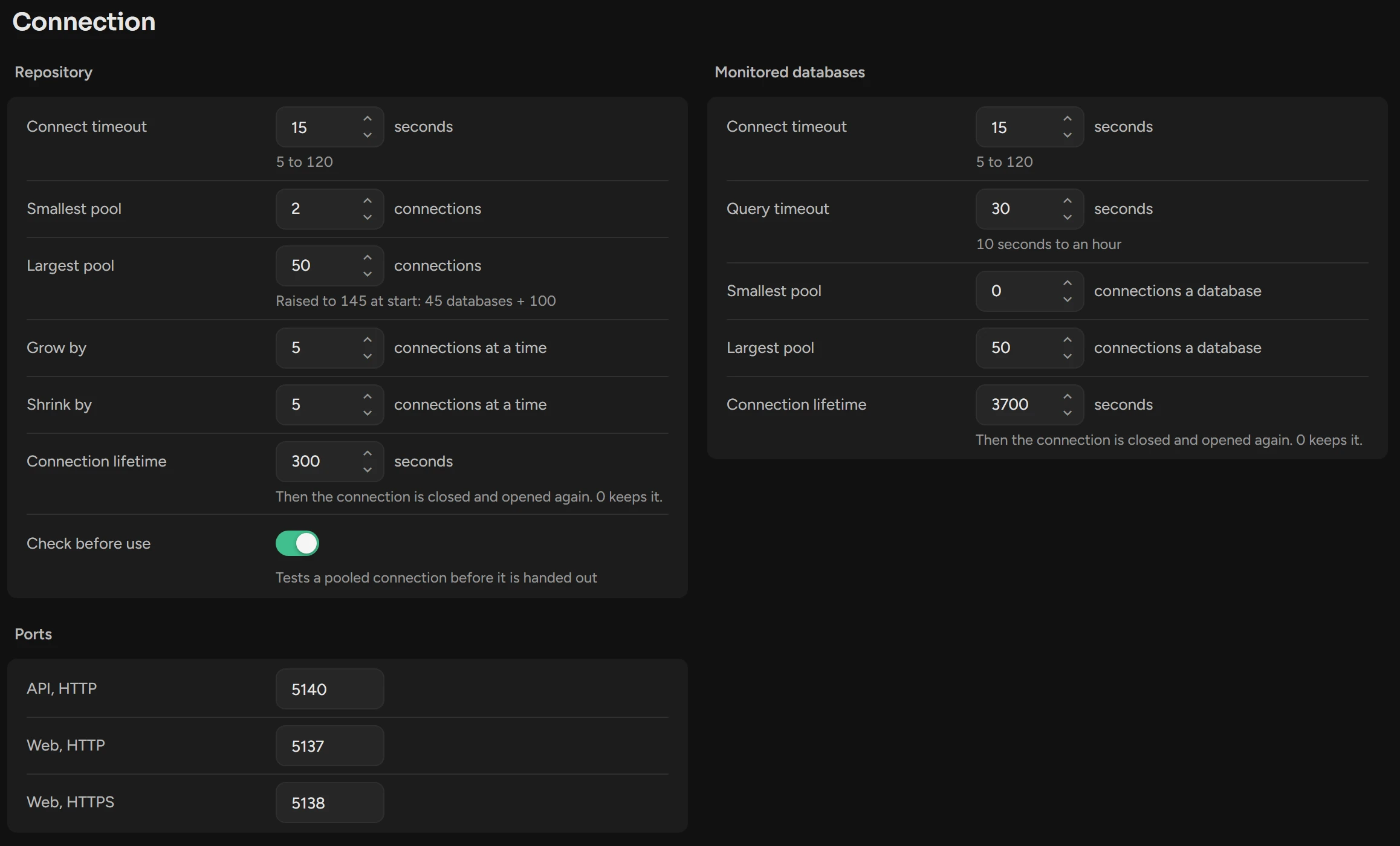
Set the timeouts and the connection pools that dbCove uses for the monitored databases and for its repository.
Before you begin
You need Manage Settings. The defaults are correct for most installations.
Change a setting
Open Settings › Connection and change the value.
Click Save in the header of its group.
For Repository or Ports, restart dbCoveApi, then dbCoveWeb.
A change to Monitored databases applies to new connections within five minutes, with no restart.
Monitored databases
Each database has its own pool with these values.
| Setting | What it does | Default |
|---|---|---|
| Connect timeout | The wait for a new connection: 5 to 120 seconds. | 15 seconds |
| Query timeout | The time before dbCove cancels a query: 10 seconds to an hour. Nightly collections have a longer limit. | 30 seconds |
| Smallest pool | Idle connections that stay open: 0 to 50. 2 with 400 databases is 800 idle sessions. | 0 |
| Largest pool | Connections to one database at the same time: 10 to 500. | 50 |
| Connection lifetime | The maximum age of a connection: 0 (no maximum) to 86,400 seconds. | 3,700 seconds |
| Host domains | The domains to try for a database host that has no domain in its name. See Find a host without a domain. | None |
Repository
| Setting | What it does | Default |
|---|---|---|
| Connect timeout | The wait for a new connection: 5 to 120 seconds. | 15 seconds |
| Smallest pool | Idle connections that stay open: 0 to 50. | 2 |
| Largest pool | Connections at the same time: 10 to 10,000. At start, dbCoveApi raises a lower value to the number of databases + 100. | 50 |
| Grow by, Shrink by | Connections that the pool opens or closes at a time: 1 to 50. | 5 |
| Connection lifetime | The maximum age of a connection: 0 (no maximum) to 86,400 seconds. | 300 seconds |
| Check before use | dbCove tests a pooled connection before it uses it. | On |
Ports
The Ports group has the three ports of dbCove. See Change the ports.
Related
Ports and networkAll ports and connections.
The repository is not availableWhen the repository does not answer.
Updated November 29, 2026