Policies
A policy sets one kind of settings for a group of databases. Open Policies in the top bar, then click a card.
Before you begin
| Permission | What it allows |
|---|---|
| View Policies | Open the page and read the policies. |
| Manage Policies | Create, change, stop and delete policies. Assign databases. |
| Manage alerts | Change the Alert Catalog. |
| Manage reports | Change the Report Catalog. |
| Manage databases | Change the switches on Monitoring. |
Select a card
| Card | What you do there |
|---|---|
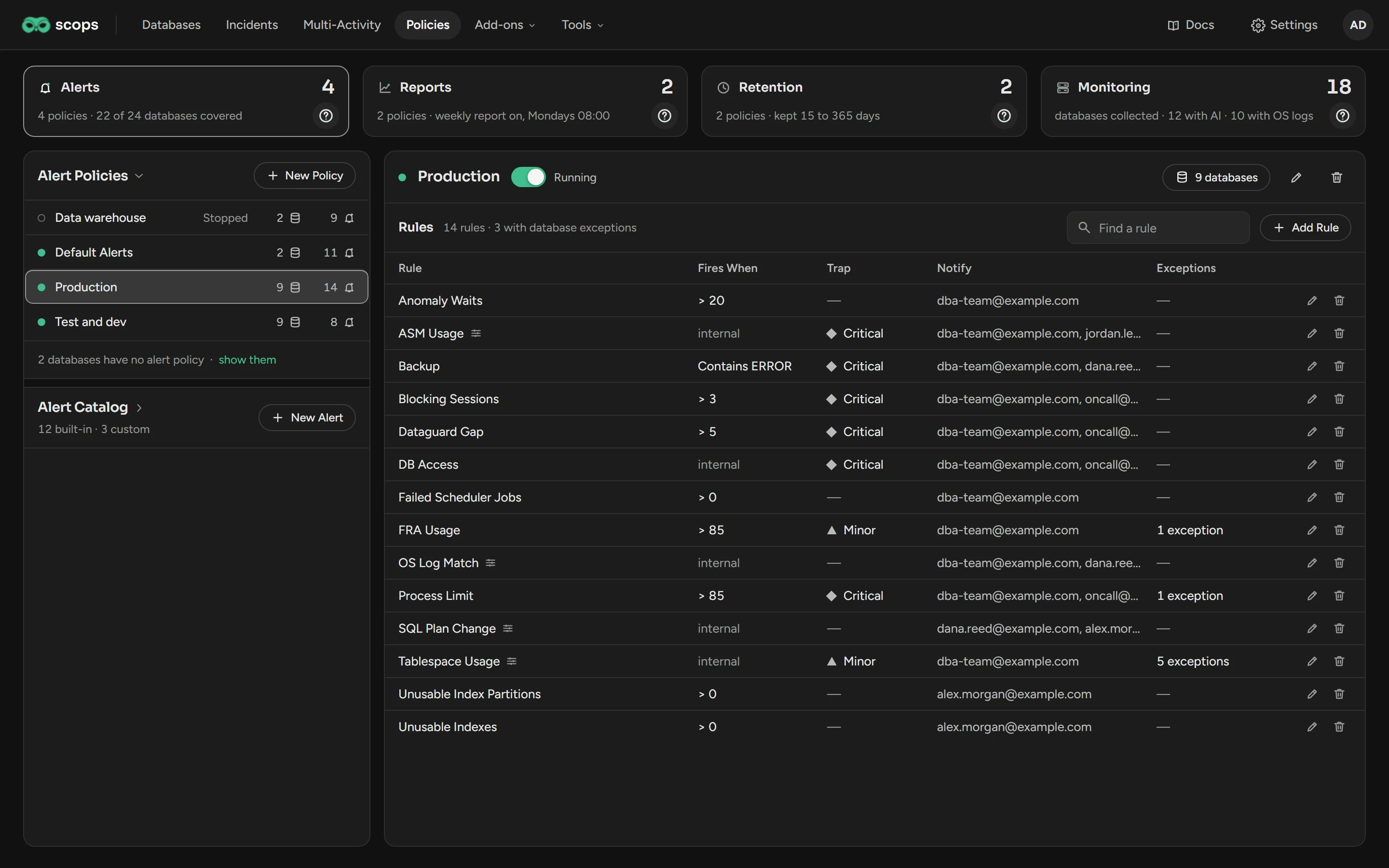
| Alerts | Set the alerts of a group of databases and who gets the mail. See Alert policies. |
| Reports | Create reports, run them on a schedule and mail them. See Report policies. |
| Retention | Set how long dbCove keeps each kind of data. See Retention. |
| Monitoring | Turn Cache, AI, Radar and OS Logs on or off for many databases. See Monitoring. |
The ? on a card opens the page of that card.
On Alerts, Reports and Retention, select the engine: Oracle, SQL Server or PostgreSQL. Each engine has its own policies and its own catalog.
On Alerts and Reports, the left card has two groups: the policies and the catalog. The catalog holds the alerts or the reports that a policy can use. Click the name of a group to open it. New Policy and New Alert or New Report are always there, also when the group is closed.
A policy row shows the number of databases and the number of rules or reports, each beside its icon. A filled dot shows a running policy. A stopped policy has an empty dot and the word Stopped.
Rules for all policies
- A database has one policy of each kind at most. A change to a policy applies to all its databases.
- A policy is for one engine. You can assign it only to the databases or instances of that engine. A SQL Server or PostgreSQL instance always has one policy of each kind.
- A new Oracle database gets Oracle Alerts, Oracle Reports and Oracle Retentions. A new instance gets the default policies of its engine: SQL Server Alerts, SQL Server Reports and SQL Server Retentions, or PostgreSQL Alerts, PostgreSQL Reports and PostgreSQL Retentions. You can select others in Add Database.
- You cannot delete or rename a default policy. You can change its settings.
Related
Updated November 29, 2026