Introduction
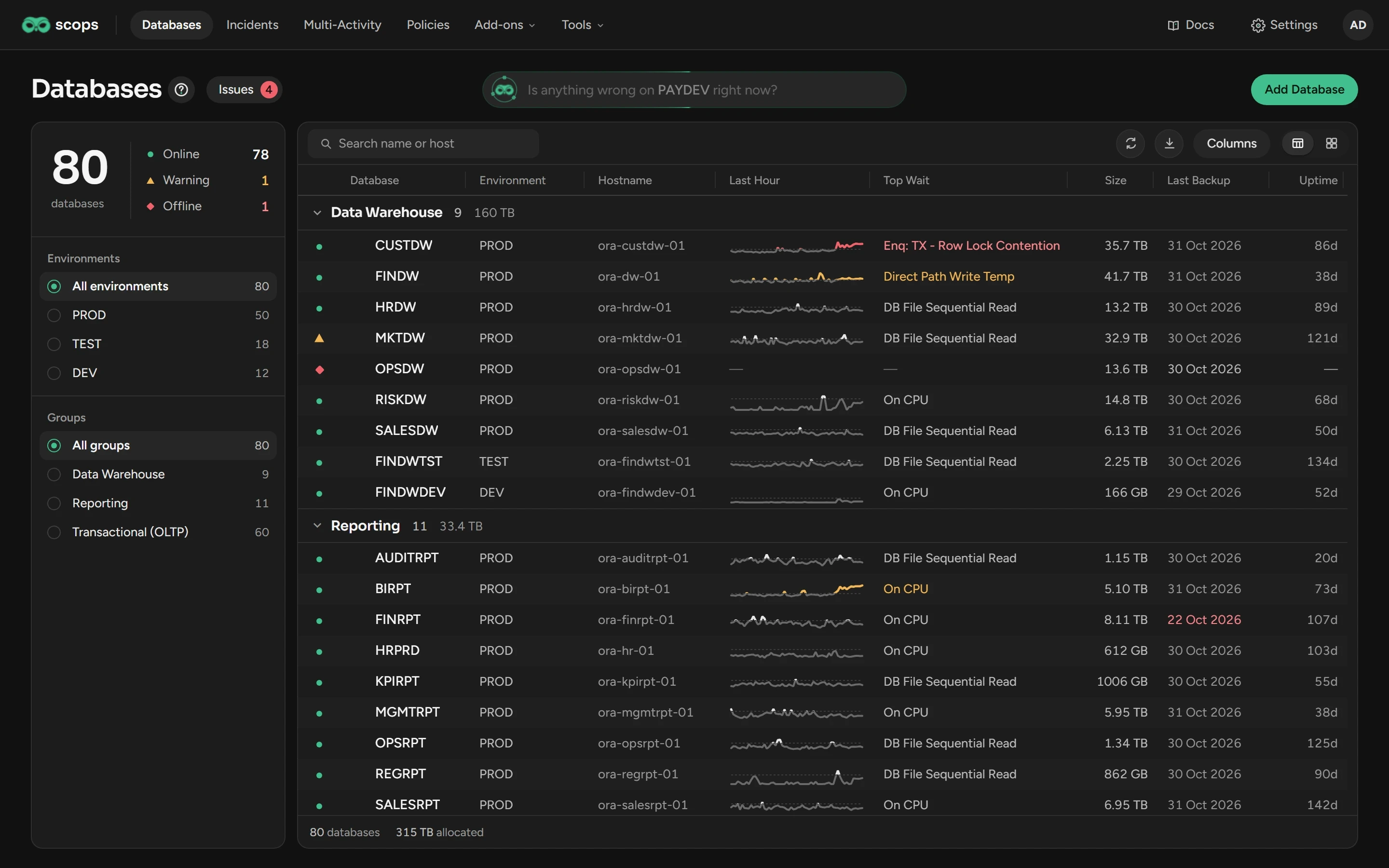
dbCove monitors your Oracle databases, your SQL Server, PostgreSQL and MySQL instances and your MongoDB replica sets from one place. It tells you about problems early and does routine work on your Oracle databases.
How dbCove works
dbCove runs on one Windows server, and you use it in a browser. It reads each database or instance with one read-only account of its engine, and keeps its data in the repository.
AgentlessNothing to install on the database servers.
One serverTwo Windows services, used from a browser.
Your data staysAll collected data stays in your repository.
No packs neededdbCove collects sessions and SQL statistics itself.
Features of the Oracle Diagnostics Pack and Tuning Pack stay off until you confirm the license. See Diagnostics and Tuning Pack.
What you can do
Monitor all databasesStatus, activity, size and backups.
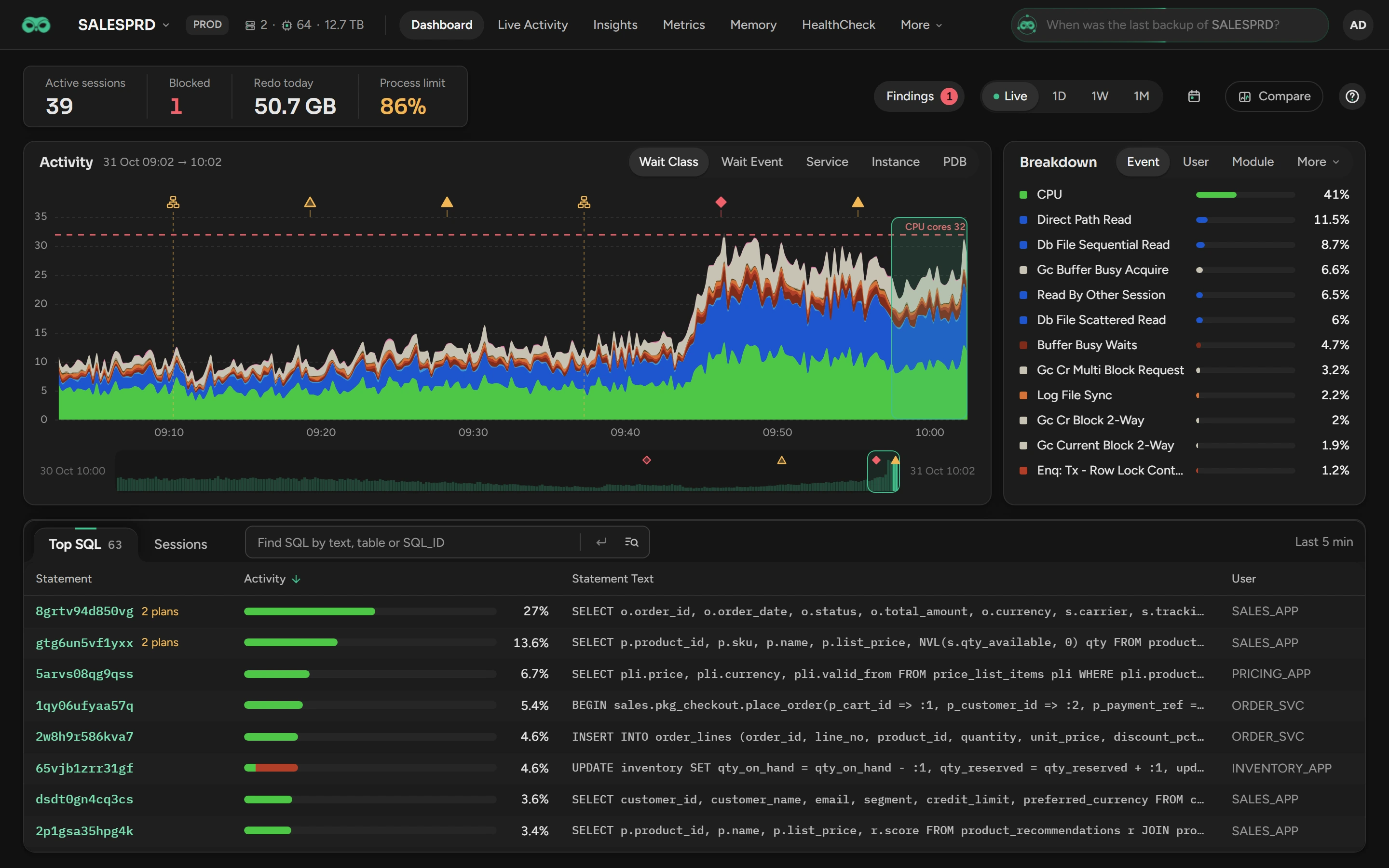
Examine one databaseActivity, top SQL, sessions and waits.
Examine a SQL Server instanceActivity, statements and waits.
Examine a PostgreSQL instanceActivity, statements and waits.
Know about problems earlyRadar Engine forecasts full tablespaces and more.
Ask in plain wordsdbCove AI finds the cause.
Automate routine workStatistics, compression and archiving on Oracle.
Set alerts and reportsPolicies for groups of databases.
Set up dbCove
Check the system requirements.
Install dbCove on a Windows server.
Sign in as
adminand create the recovery code.
Related
Updated November 29, 2026