Retention
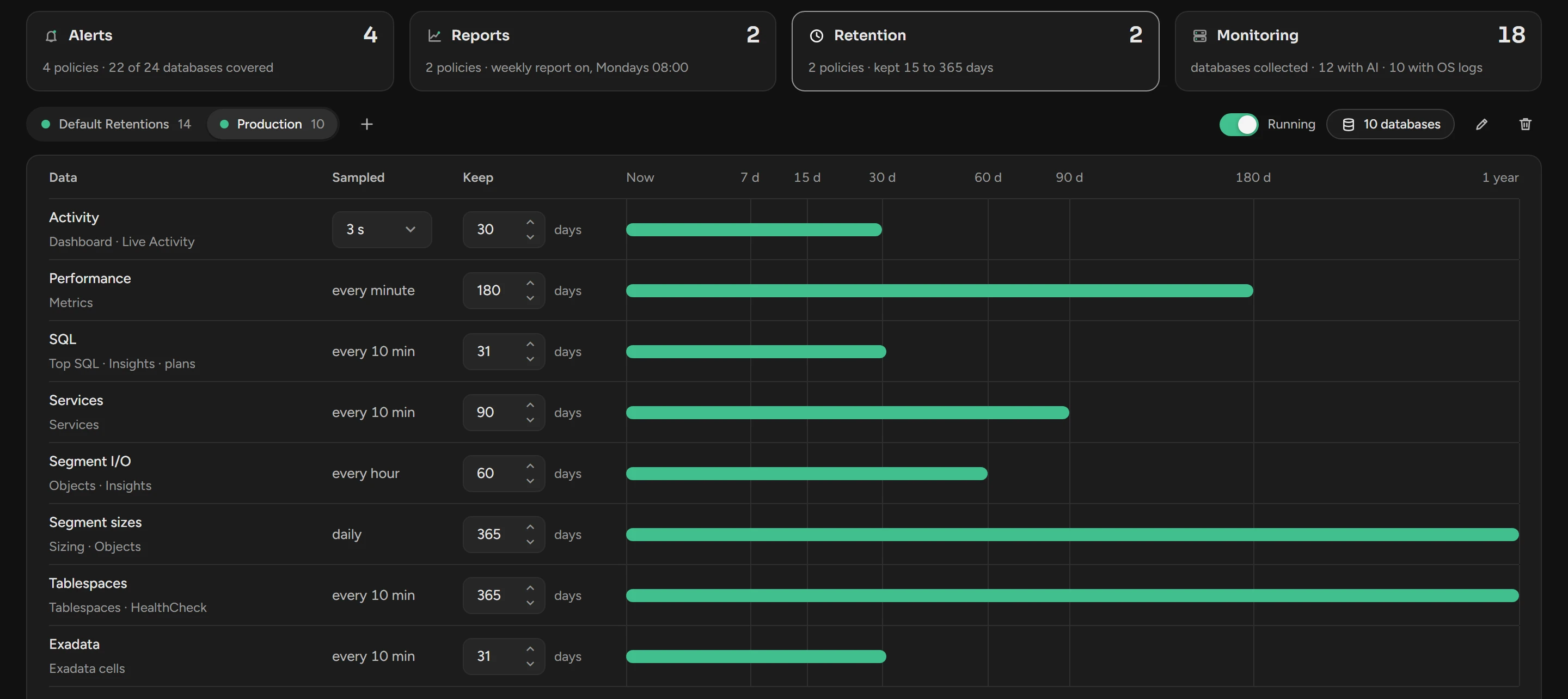
A retention policy sets how long dbCove keeps each kind of data for its databases. Open Policies › Retention.
Before you begin
- Changes need Manage Policies.
- Each database must be in a retention policy of its engine. A new Oracle database gets Oracle Retentions, a new SQL Server instance gets SQL Server Retentions, and a new PostgreSQL instance gets PostgreSQL Retentions.
- Select the engine above the table: Oracle, SQL Server or PostgreSQL. Each engine has its own policies and its own kinds of data.
Change how long data is kept
Click the policy above the table.
Change the days in Keep, from 1 to 365. For Activity, you can also change Sampled.
Click Save. To go back to the saved values, click Discard.
A lower value deletes data. At the next daily cleanup, dbCove deletes the data that is older than the new value. The deleted data does not come back.
Faster sampling uses more space: a sample every second uses about five times the space of a sample every 5 seconds.
What each row keeps
The rows are those of the engine that you selected.
Oracle
| Data | Read by | Sampled | Oracle Retentions keeps |
|---|---|---|---|
| Activity | Dashboard, Live Activity | Every 1, 3, 5 or 15 s (5 s by default) | 15 days |
| Performance | Metrics | Every minute | 90 days |
| SQL | Top SQL, Insights, execution plans | Every 10 minutes | 15 days |
| Services | Services | Every 10 minutes | 90 days |
| Segment I/O | Objects, Insights | Every hour | 30 days |
| Segment sizes | Sizing, Objects | Daily | 90 days |
| Tablespaces | Tablespaces, Health Check | Every 10 minutes | 90 days |
| Exadata | Exadata cells | Every 10 minutes | 31 days |
SQL Server
| Data | Read by | Sampled | SQL Server Retentions keeps |
|---|---|---|---|
| Activity | Dashboard, Live Activity | Every 1, 3, 5 or 15 s (5 s by default) | 15 days |
| Statements | Insights, statement text and plans | Every 10 minutes | 15 days |
| Insights history | Insights | Every hour | 90 days. Never shorter than Statements. |
| Metrics | Metrics | Every minute | 31 days |
| Deadlocks | Live Activity | Every minute | 30 days |
| Table and index sizes | Sizing | Daily | 90 days |
| Database and file sizes | Sizing | Daily | 365 days |
PostgreSQL
| Data | Read by | Sampled | PostgreSQL Retentions keeps |
|---|---|---|---|
| Activity | Dashboard, Live Activity | Every 1, 3, 5 or 15 s (5 s by default) | 15 days |
| Statements | Insights, statement text | Every 10 minutes | 15 days |
| Metrics | Metrics, Dashboard | Every minute | 31 days |
| Table sizes | Sizing | Daily | 90 days |
| Database and disk sizes | Sizing | Daily, the disks every hour | 365 days |
dbCove also keeps hourly and 5-minute summaries for at least 32 days. A chart of the last month keeps its shape.
Radar findings are not in a retention policy. dbCove keeps each finding for 30 days from when Radar raised it, then deletes it. A finding that is still open stays while it is open. See How findings end.
Create a retention policy
Click the + button after the policies.
Type a Name and click Create Policy.
Click its database count and select the databases. Click Save.
A database that you add leaves its old retention policy. For other days on one database, put it in another retention policy.
Stop, rename or delete a policy
- Running switch: a stopped policy deletes nothing. dbCove keeps all the data of its databases until you start it again. In the Community edition, the limit of 15 days still applies.
- Pencil: rename the policy.
- Bin: delete the policy. Its databases go to the default policy of their engine, for example Oracle Retentions.
Community keeps 15 days
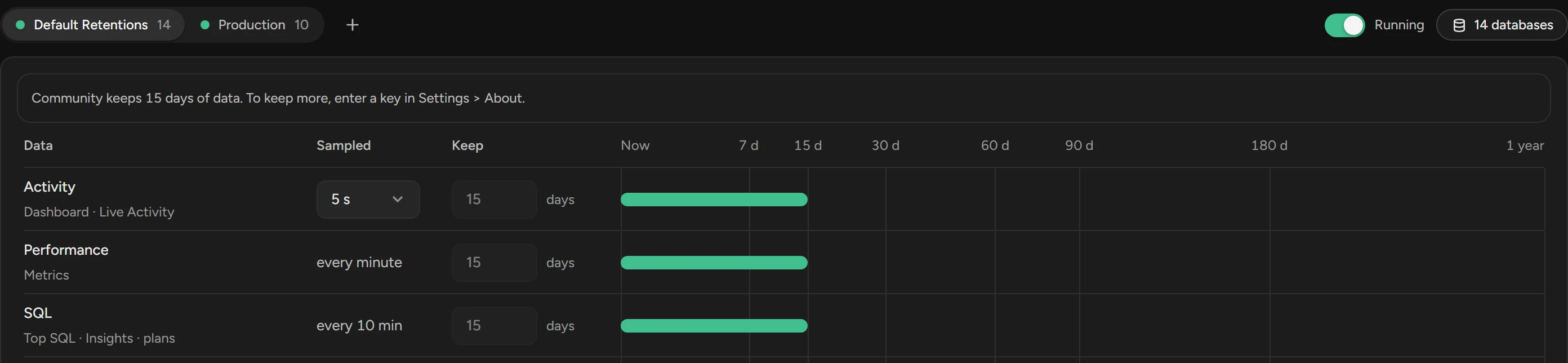
In the Community edition, dbCove keeps 15 days of all data, and you cannot change Keep. When you activate a license key, the days of the policy apply again. See Editions and activation.
Related
Updated November 29, 2026